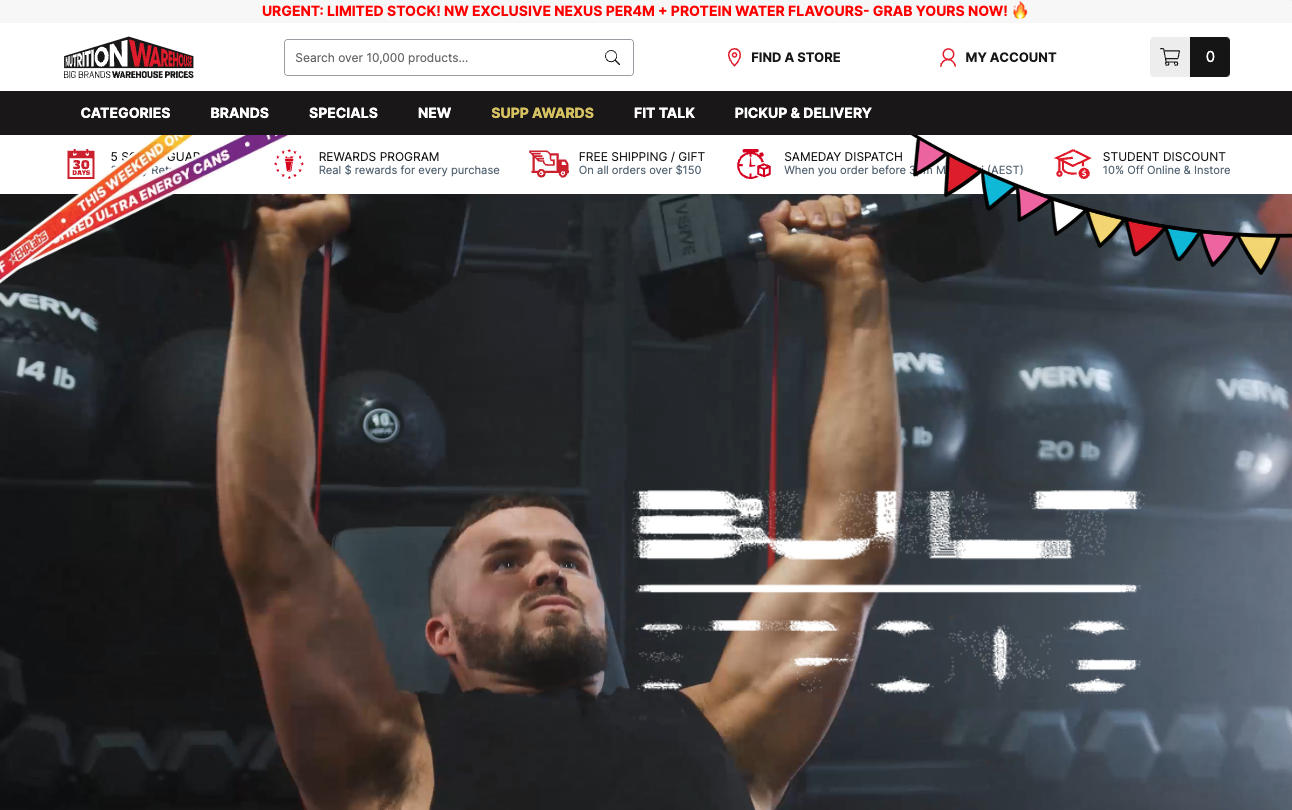
Nutrition Warehouse Sales Settings
On our dedicated sales event features page, we offer a comprehensive overview of all the tools and options at your disposal. From website alterations to code snippets and schema settings, this resource provides you with the insights and guidance needed to make your sales events a resounding success. Explore how you can optimize your online presence, boost conversions, and enhance the customer shopping experience with these powerful features.
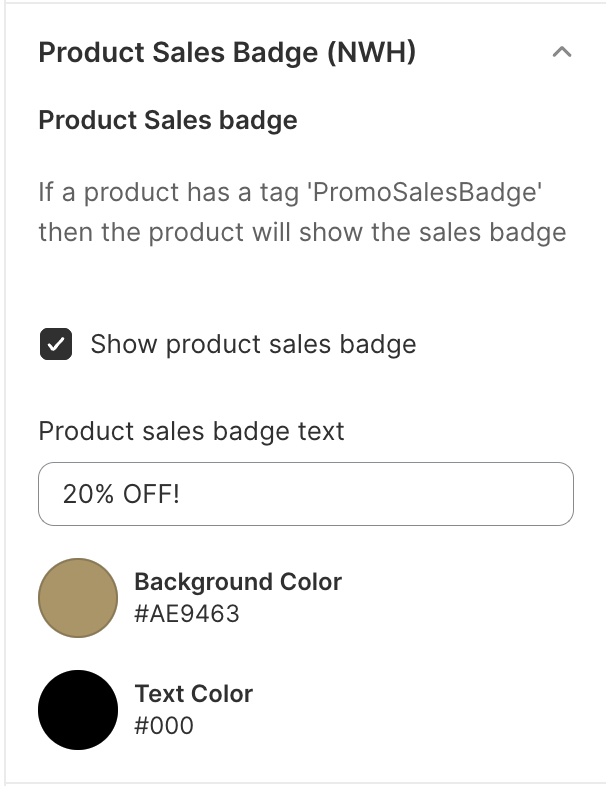
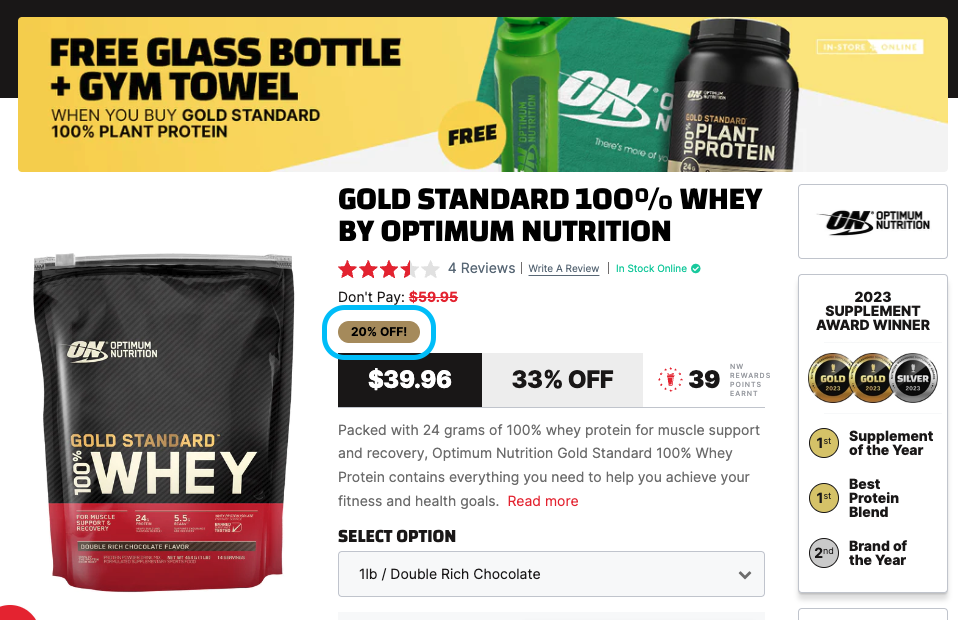
Product Sales Badge
Add a badge to the product page to indicate the product is on sale
Tag attributes
- Name
promoSalesBadge- Type
- tag
- Description
Tag needs to be added to products for badge to show up
Schema Settings
Preview
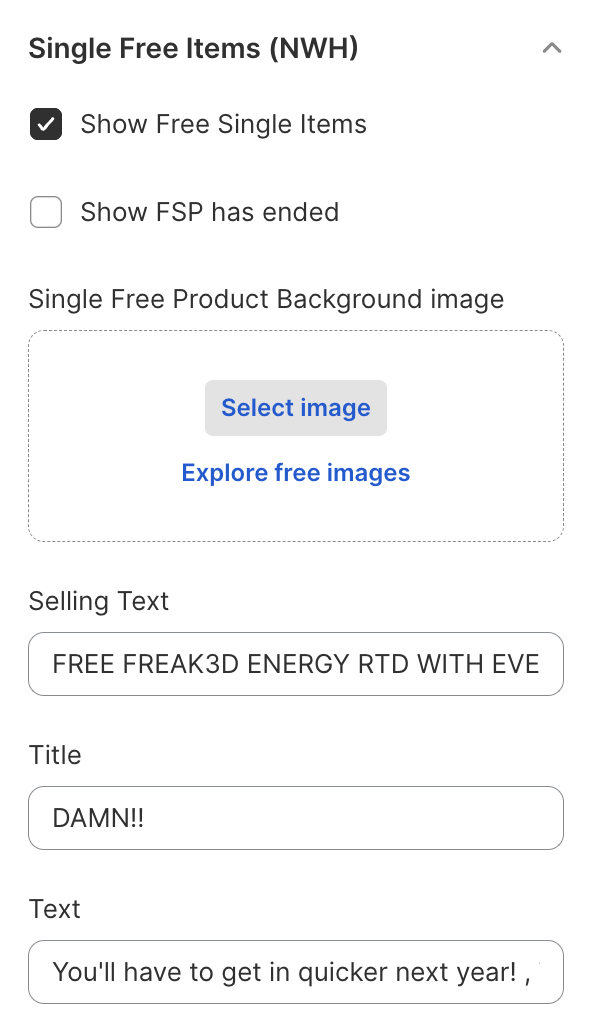
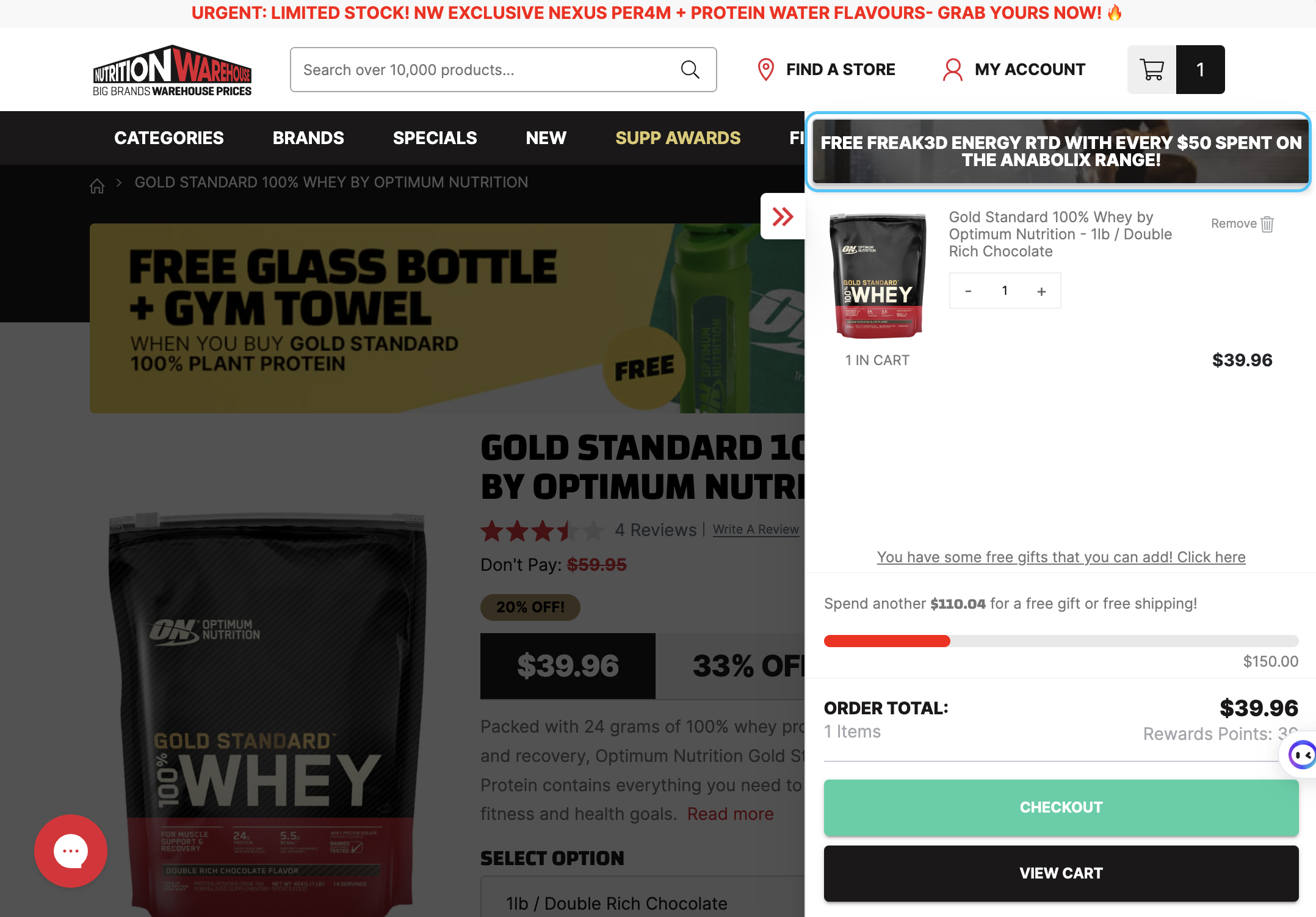
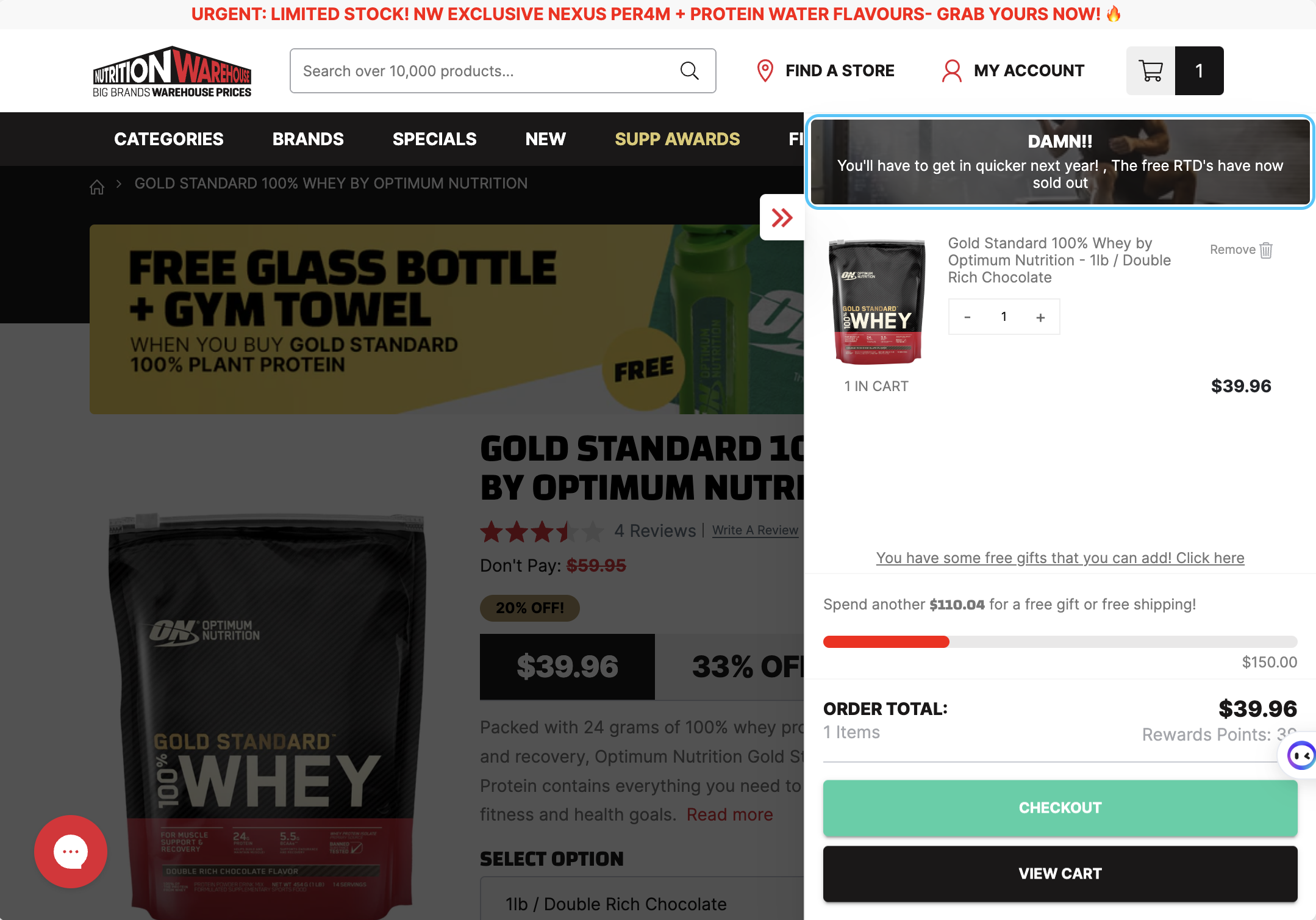
Single Free Items (Upsell in cart)
Upsell within the slide out cart cart - Perfect for promotion of "free items when you spend"
Section States
- Name
Promotion Active- Type
- checkbox
- Description
Single free item settings shows the upsell
- Name
Promotion Ended- Type
- checkbox
- Description
Indicate that the promotion has ended
Schema Settings
Preview
Bunting Decorations (Branding)
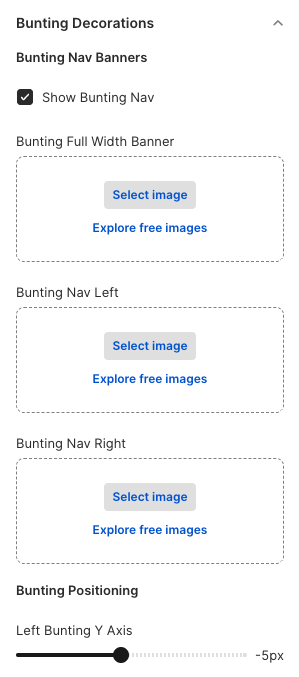
Branding bunting decorations which hang from the navigation - Used to enhance promotions with branding
Section States
- Name
Promotion Active- Type
- checkbox
- Description
Single free item settings shows the upsell
Images
- Name
Full Width Bunting- Type
- PNG | GIF
- Description
Full width bunting used if you'd like the branding to stretch the whole width of the navigation Example Image
- Name
Left Bunting- Type
- PNG | GIF
- Description
- Left bunting - Used on the left side of the navigationImage Dimensions:Example ImageExample Image
700px by 700px
- Name
Right Bunting- Type
- PNG | GIF
- Description
- Right bunting - Used on the right side of the navigationImage Dimensions:Example Image
700px by 700px
Schema Settings
Preview